





RoomeeZ Instructions
Before selecting a roommate you will need to ensure you have completed your housing application. Once complete, you can follow the steps below to creating your roommate groups.
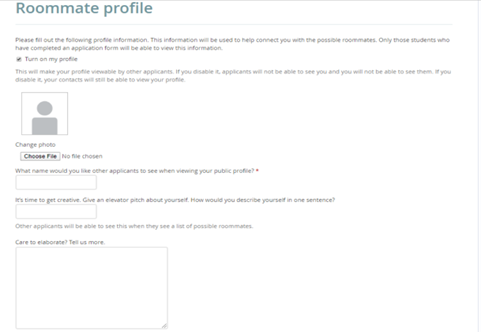
First the applicant must 'turn on my profile' and fill out the required fields on their Roommate profile.
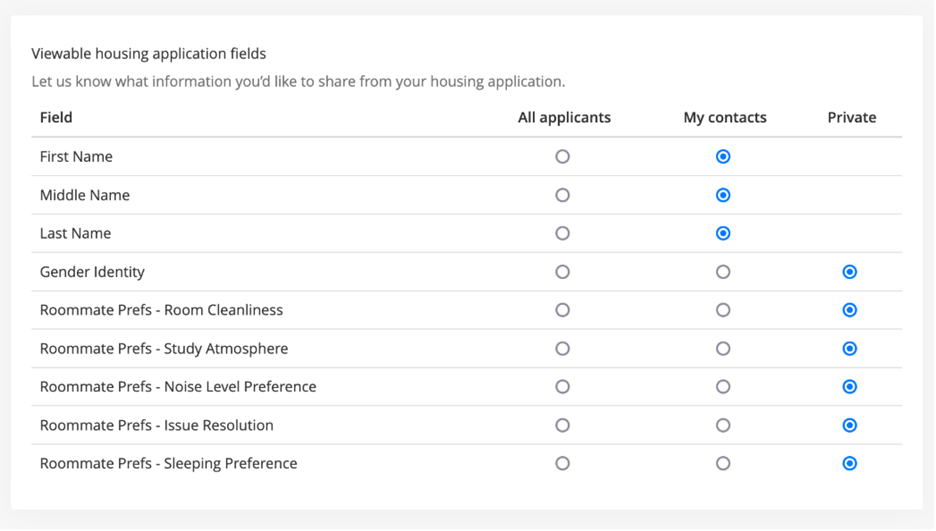
Applicants can specify which of the available profile fields for searching they are comfortable sharing with potential roommates. 'All applicants' means it will be available for anyone who is searching for potential roommates. 'My contacts' is if it should only be viewable to other applicants once an applicant accepts a contact request from another applicant. Applicants may also decide to make certain profile fields 'Private' and not shared with anyone.
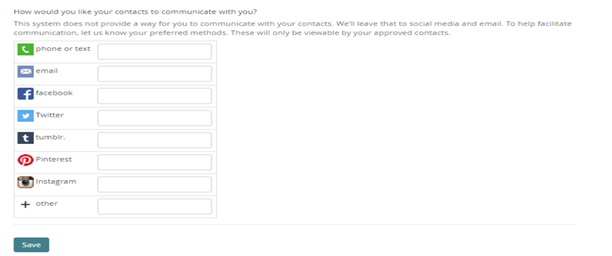
The last section allows the applicants to provide any social media and contact information that they are comfortable sharing with other applicants to facilitate communication. These are only viewable by approved contacts.
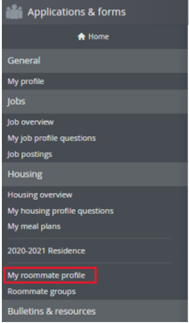
Once an applicant has completed their Roommate profile and has turned it on, they will be able to access the Roommate search and Contacts menus
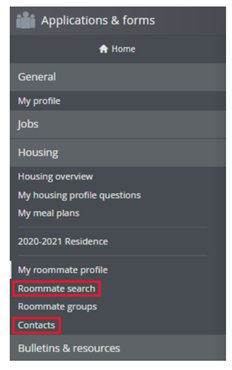
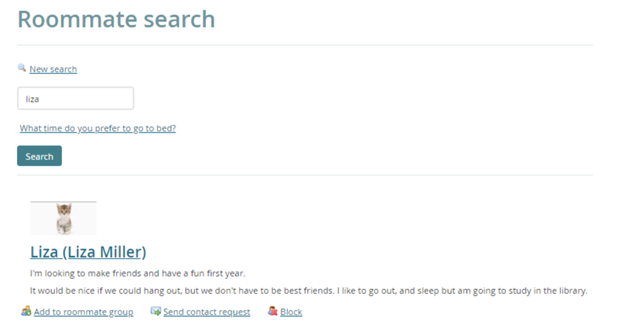
Roommate search results will return a list of matches based on the specified filters. For each result the applicant can easily add another applicant to a roommate group, send a contact request, or block them.
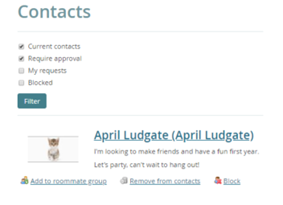
Once the applicant sends a contact request, the other applicant will receive an email to log back in to approve the contact request. All contacts (current contacts, pending contact requests, and blocked contacts) are easily viewable from the Contacts menu.
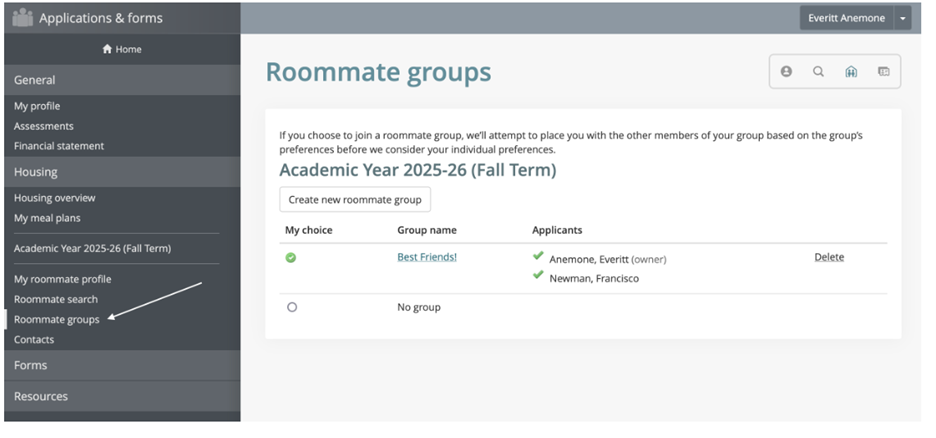
ROOMMATE GROUPS
Click the "create new roommate group" link. This link is only available after you have submitted your housing application.
Enter a "group name" and enter the email address(es) of your roommate(s).
Please note the maximum number of roommates. You must know their email address exactly as listed in their eRezLife application.
Click "save" to create your roommate group.
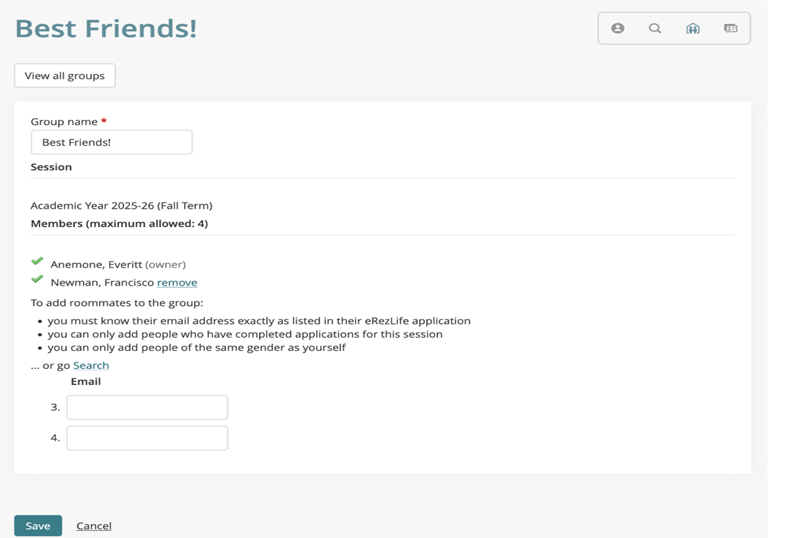
Your roommate group will be listed. Click the group name to make any edits (such as change group name or remove/add roommate members).
Click "delete" to remove the roommate group entirely.
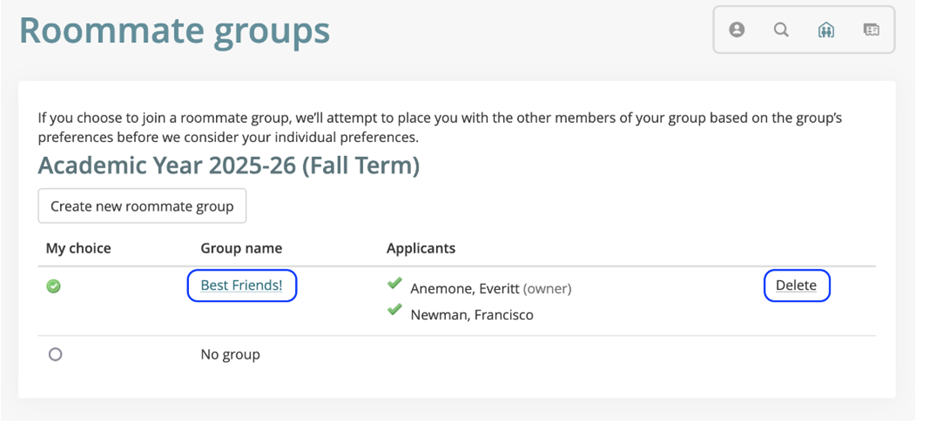
Once you have selected your roommate group, you will be assigned to that pairing for the start of the semester.